FinTech Web-Platform for Internet Banking Application

Azati developed an intuitive UX/UI design for the web version of an online banking platform, enabling users to manage accounts, make payments and transfers, access transaction history, and more, with a seamless experience across devices.

Discuss an idea
90%

of core banking operations accessible from web interface

25-50%

reduction in user task completion time

25%

decrease in customer support requests

All Technologies Used

React
React
Figma
Figma
Adobe Illustrator
Adobe Illustrator
Adobe Photoshop
Adobe Photoshop
SketchUp
SketchUp
Node.js
Node.js
REST API
REST API

Motivation

The customer faced the challenge that many users did not have access to smartphones or charged devices, which limited their ability to use online banking services. Azati's goal was to develop a web version of the mobile application that would provide universal access to all banking functionalities, including account management, payments, transfers, and transaction history, from any internet-connected device. The solution needed to maintain a consistent design with the mobile app, improve usability, streamline workflows, and reduce user frustration caused by the lack of a web platform.

Main Challenges

Challenge 01
Limited Access for Non-Mobile Users

A significant portion of the bank's users did not have smartphones or often had uncharged devices, which prevented them from accessing essential banking services through the existing mobile app. This gap risked excluding users from online services and caused frustration among customers.

#1
Challenge 02
Team Coordination and Management Issues

Initial mismanagement led to unclear task assignments, overtime, and duplicated efforts within the development team. Inefficient communication between managers caused repeated approvals and delays, which slowed down the development process.

#2
Challenge 03
Consistency Across Platforms

The web version needed to match the design and functionality of the mobile application to provide a seamless experience. Adapting mobile UX/UI for web, ensuring all features were accessible, and maintaining a consistent design language across platforms posed significant design and technical challenges.

#3
Challenge 04
UI and UX Complexity

The project required integrating multiple banking functions: payments, transfers, card limits, transaction history into a single coherent interface. This demanded careful planning of user flows and interaction patterns to reduce confusion and ensure intuitive navigation.

#4
Challenge 05
Collaboration with Frontend Development

Close collaboration with the frontend team was necessary to implement the design correctly. Differences in technical implementation and limitations of the existing codebase required constant adjustments and alignment between design and development teams.

#5

Our Approach

Comprehensive Onboarding and Task Organization
Azati conducted onboarding sessions for its team with the designer who developed the original mobile application and the project manager. Tasks were organized and tracked using Jira, enabling clear assignment of responsibilities, transparent progress tracking, and daily updates to synchronize all team members.
Adaptive UX/UI Design for Web Platform
The design team adapted the mobile application interface to the web platform, maintaining the same visual language, color schemes, and interaction patterns. They redesigned the user journey to ensure all key banking operations: payments, transfers, card management, and transaction history could be accessed intuitively on a single page.
Collaboration with Frontend Development
Azati closely collaborated with the frontend team to implement React-based interfaces accurately, ensuring that the design was faithfully reproduced in the final web platform. Regular review sessions were conducted to resolve discrepancies and improve interactive behaviors.
UI Kit Development and Standardization
A comprehensive UI kit was created in Figma, including reusable components for forms, buttons, tables, icons, and navigation. This ensured design consistency across the platform, simplified future feature development, and supported scalable maintenance.
Cross-Platform and Responsive Optimization
The platform was optimized for desktops, tablets, and mobile devices, including older browsers like Internet Explorer, to ensure broad accessibility. Components were tested for responsive behavior, usability, and consistency across different screen sizes.

Want a similar solution?

Just tell us about your project and we'll get back to you with a free consultation.

Schedule a call

Solution

01

Admin Dashboard

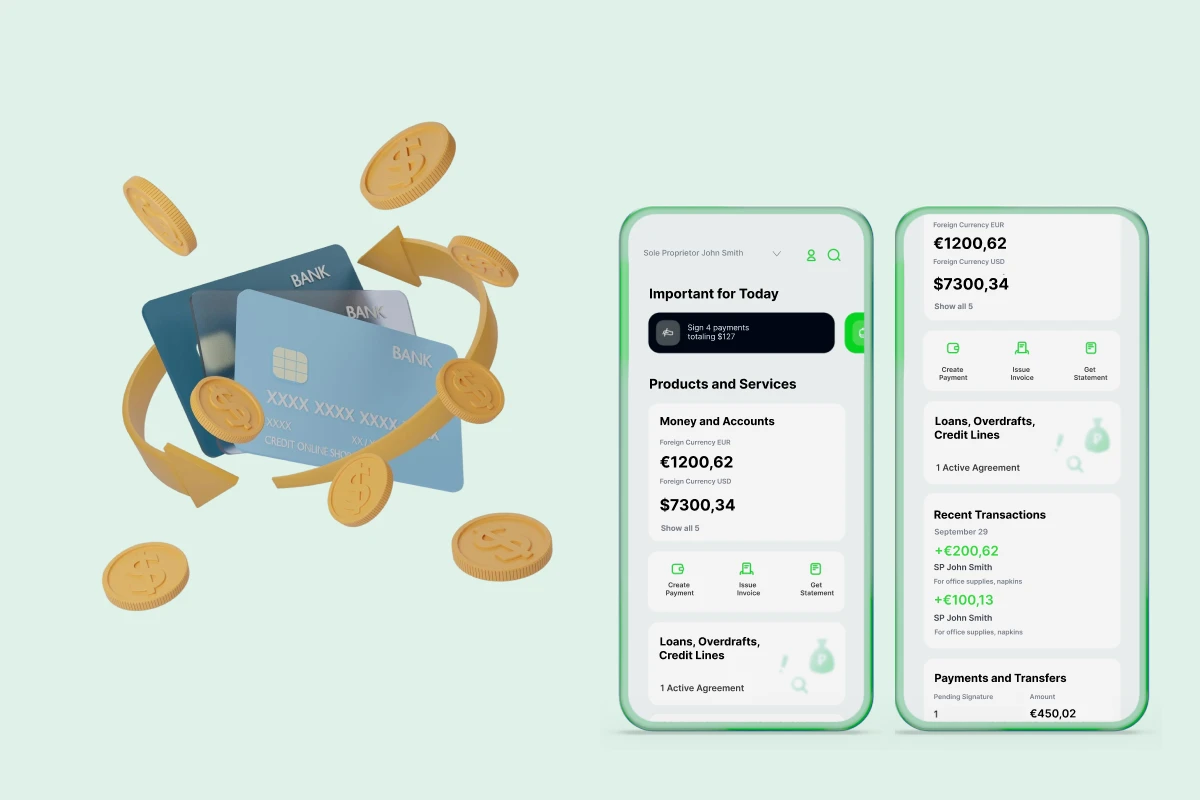
A centralized dashboard designed to consolidate all essential banking operations in one place. Users can view account balances, make payments and transfers, manage card limits, and access transaction history without switching between multiple screens. The dashboard simplifies complex financial interactions and provides clear, intuitive navigation, reducing cognitive load and minimizing the chance of errors.
Key capabilities:
  • Switching between payments, transfers, card limits, and transaction history with a single click
  • Clear visualization of account balances and recent activities
  • Centralized management of banking operations to improve user efficiency
  • Supports both web and mobile interfaces seamlessly
02

Cross-Platform Consistency

Ensures that users experience the same look, feel, and functionality whether they access the platform via web or mobile. This unification improves usability and reinforces user familiarity, allowing seamless transitions between devices. The design patterns and component behavior are standardized to avoid confusion and maintain trust in the platform.
Key capabilities:
  • Maintains consistent UI/UX elements across web and mobile
  • Preserves user familiarity when switching devices
  • Reduces learning curve for users accessing new platforms
  • Enables smooth integration of future updates across platforms
03

Responsive Design

Optimizes the interface for multiple screen sizes, resolutions, and device types. From desktop monitors to tablets and older low-resolution screens, the platform adjusts layout, scaling, and component positioning to ensure functionality and readability. This allows all users, including those with older devices, to perform banking operations reliably.
Key capabilities:
  • Adapts UI to different resolutions and aspect ratios
  • Improves accessibility for users on older or low-spec devices
  • Ensures all functions remain usable and visually coherent
  • Supports modern browsers as well as legacy ones for wider reach
04

Improved UX Journey

Refines and simplifies the user flow by organizing banking tasks into logical, efficient workflows. Reduces unnecessary steps and repetitive actions, helping users complete tasks faster while avoiding errors. The UX improvements focus on making high-priority actions intuitive, such as payments, transfers, and account management, so that users can achieve their goals with minimal effort.
Key capabilities:
  • Consolidates payments, transfers, and account management in a single flow
  • Minimizes clicks and navigation steps for frequent operations
  • Enhances intuitiveness for first-time users
  • Reduces errors and confusion during banking operations
05

UI Kit Creation

Developed a comprehensive set of reusable UI components and design patterns to ensure visual and functional consistency across the platform. The UI kit standardizes colors, typography, buttons, forms, tables, and icons, which accelerates development, reduces maintenance effort, and provides a solid foundation for future updates or new features.
Key capabilities:
  • Provides a library of pre-designed buttons, tables, forms, and icons
  • Facilitates faster implementation of new features
  • Maintains design consistency across the platform
  • Enables easy scaling and adaptation for future updates

Business Value

Enhanced User Accessibility: Users can now access banking services from any device, including desktops and tablets, improving service availability.

Reduced Operational Costs: Streamlined and automated banking operations led to savings in manual processing and support.

Improved User Experience: Modernized UX/UI reduced confusion and increased efficiency for performing banking tasks.


Ready To Get Started

This site is protected by reCAPTCHA and the Google Privacy Policy and Terms of Service apply.