Ever wonder why some software projects deliver exactly what businesses need while others go completely off the rails, burning through budgets, missing deadlines, and ultimately getting scrapped? The difference isn't luck or even just talent. It comes down to following a proven custom software development process that guides projects from that first brainstorming session all the way through to launch and beyond.
The software development lifecycle (SDLC) isn't some theoretical framework dreamed up in an ivory tower. It's a battle-tested roadmap that's evolved over decades of real-world software projects. Think of it as the blueprint that keeps complex projects on track, stakeholders aligned, and teams focused on what actually matters. When you're investing in custom software engineering services, understanding this lifecycle means you can actively participate in the process rather than just hoping for the best.
What the Software Development Lifecycle Actually Means
Think about building a house: you wouldn't start nailing up walls before you've got a foundation, right? Same principle applies here. You start with understanding what needs to be built (discovery), create detailed plans (design), actually build it (development), make sure it works (testing), put it into use (deployment), and keep it running smoothly (maintenance). Miss a step or rush through it, and you're asking for trouble down the line.
Why Structure Matters More Than You Think
We've seen too many projects start with "let's just start coding and figure it out as we go." That approach might work for personal side projects, but for serious custom software development process initiatives it's a recipe for disaster. Structured lifecycles give you predictability in an inherently unpredictable process, clear checkpoints where stakeholders can review progress and provide feedback, quality assurance built into every phase rather than bolted on at the end, and risk management that spots potential problems before they become expensive catastrophes.
The Six Core Software Development Lifecycle Phases
While different methodologies might slice things differently, the software development lifecycle phases generally follow this pattern. Let us walk you through each one:
Discovery and Planning: Where Success Begins
Duration: 2-4 weeks for most projects
The discovery phase of a software project determines everything that follows. This isn't just a few meetings where someone describes what they want, it's a deep dive into business objectives, user needs, technical constraints, and success criteria. You're essentially building the foundation that everything else sits on.
What Actually Happens in Discovery:
Stakeholder interviews dig deep into not just what people say they want, but what they actually need. Requirements gathering documents functional requirements (what the software must do), non-functional requirements (how it should perform), and constraints (budget, timeline, technical limitations). Feasibility analysis evaluates technical viability, resource availability, and ROI projections. Competitive analysis examines existing solutions, identifies gaps, and finds opportunities for differentiation.
You're also creating detailed user personas representing different types of users, journey mapping showing how users will interact with the system, and risk assessment identifying potential obstacles early. The deliverable? A comprehensive project roadmap with clear milestones, resource allocation, and realistic timelines.
Design: Creating the Blueprint
Duration: 3-6 weeks depending on complexity
Design phase translates requirements into actual plans for how the software will work and look. This happens on two parallel tracks: technical architecture design and user experience design.
Technical Architecture Design:
System architects create high-level architecture diagrams showing how major components interact. They define the technology stack (programming languages, frameworks, databases, infrastructure). Database schema design structures how data gets stored and relationships between entities. API design specifications determine how different systems and components will communicate. Security architecture plans authentication, authorization, encryption, and data protection from the ground up.
UX/UI Design:
User experience designers create wireframes showing basic layout and functionality, interactive prototypes that stakeholders can actually click through and test, high-fidelity mockups presenting the final visual design, and design systems establishing reusable components and style guidelines.
This phase isn't just making things pretty, it's solving usability problems before they get coded in. Changing a mockup takes minutes. Changing coded functionality takes days or weeks.
Development: Building the Solution
Duration: 8-24 weeks (the longest phase)
This is where requirements and designs transform into working software. In modern agile software engineering, development happens in iterative sprints rather than one long waterfall. Teams work in 2-week cycles, delivering working features incrementally.
How Development Actually Works:
Sprint planning breaks features into manageable tasks, estimates effort, and assigns work to developers. Daily standups keep team members synchronized what got done yesterday, what's planned today, what blockers exist. Code development follows established standards and best practices with peer review. Version control (typically Git) tracks every change enabling collaboration and rollback if needed. Continuous integration automatically builds and tests code with each commit.
Frontend developers build user interfaces, backend developers create APIs and business logic, database developers optimize data structures and queries, and DevOps engineers set up deployment pipelines and infrastructure.
Documentation Throughout:
Good development includes technical documentation explaining architecture and code, API documentation for integrations, and user documentation for end users. Documentation isn't an afterthought — it gets created alongside the code.
Testing: Quality Assurance
Duration: 2-6 weeks (often overlaps with development)
Testing isn't just about finding bugs, it's about verifying the software actually solves the problems it's supposed to solve. Comprehensive testing includes multiple types:
Unit Testing:
Developers test individual functions and components in isolation, ensuring each piece works correctly before integration.
Integration Testing:
Testing how different components work together, whether APIs connect properly, and whether data flows correctly between systems.
System Testing:
Testing the entire application end-to-end in an environment mimicking production, verifying all features work together as intended.
Performance Testing:
Load testing simulates multiple users to verify the system handles expected traffic. Stress testing pushes beyond limits to find breaking points. Performance profiling identifies bottlenecks and optimization opportunities.
Security Testing:
Vulnerability scanning checks for known security issues. Penetration testing simulates actual attack scenarios. Code security review examines code for security anti-patterns.
User Acceptance Testing (UAT):
Actual users test the software in realistic scenarios, providing feedback on usability and whether it meets their needs.
Modern teams automate software development lifecycle testing where possible. Automated test suites run with every code change, catching regressions immediately. Manual testing focuses on exploratory testing and user experience validation that automation can't replicate.
Deployment: Going Live
Duration: 1-2 weeks
Deployment and maintenance begin with carefully orchestrating the release. Gone are the days of "big bang" deployments where everything goes live at once and you pray. Modern deployment strategies reduce risk significantly.
Deployment Strategies:
Blue-green deployment maintains two identical environments: one running the current version (blue), one with the new version (green). You switch traffic to green instantly, with blue standing by for rollback if needed. Canary releases deploy to a small percentage of users first, monitor for issues, then gradually increase until everyone's on the new version. Rolling deployment updates servers or containers one at a time, maintaining availability throughout.
What Happens During Deployment:
Pre-deployment checklist verifies everything's ready: backup procedures tested, rollback plan documented, monitoring configured, and support team briefed. Database migration happens carefully with scripts tested in staging, data backed up, and migration monitored in real-time. Configuration management applies environment-specific settings: API keys, database connections, feature flags. Smoke testing verifies critical functionality works in production immediately after deployment. Go-live monitoring watches system performance, error rates, user behavior ready to act fast if problems emerge.
Maintenance and Evolution: The Ongoing Phase
Duration: Ongoing (typically 15-20% of initial development cost annually)
Here's what many people don't realize: deployment isn't the finish line. It's the starting line for the longest phase of any software's life. Deployment and maintenance work hand in hand to keep your software relevant, secure, and performant.
Types of Maintenance:
Corrective maintenance fixes bugs reported by users, addresses performance issues, and resolves compatibility problems. Adaptive maintenance updates software for new operating systems, browsers, or third-party services changes, adjusting to new regulations or compliance requirements. Perfective maintenance enhances existing features based on feedback, optimizes performance, and improves user experience. Preventive maintenance refactors code to improve maintainability, updates dependencies to avoid security vulnerabilities, and optimizes infrastructure costs.
Continuous Improvement:
User feedback analysis identifies pain points and enhancement opportunities. Analytics review examines actual usage patterns versus assumptions. Feature iteration adds capabilities based on real-world needs. Performance optimization addresses bottlenecks as usage grows. Security updates patch vulnerabilities as they're discovered.
Agile vs. Waterfall: Choosing Your Approach
The custom software development process can follow different methodologies, each with strengths and appropriate use cases. Let us break down the main approaches:
Waterfall Methodology
How it works: Sequential phases where each must complete before the next begins. Requirements → Design → Development → Testing → Deployment.
Best for: Projects with well-defined requirements unlikely to change, regulated industries requiring extensive documentation, fixed-price contracts with clear scope, hardware-dependent projects where changes are expensive.
Pros: Clear documentation, predictable timelines, easy to manage, well-understood by stakeholders.
Cons: Inflexible to changes, no working software until late, high risk if requirements were misunderstood, difficult to incorporate user feedback.
Agile Software Engineering
How it works: Iterative development in short sprints (typically 2 weeks). Each sprint delivers working software with continuous feedback and adaptation.
Best for: Projects where requirements may evolve, products needing quick time-to-market, user-focused applications benefiting from feedback, complex projects where full scope isn't initially clear.
Pros: Flexibility to adapt, regular deliverables showing progress, continuous stakeholder engagement, early problem detection, faster time to market.
Cons: Requires strong collaboration, can be challenging for fixed-price contracts, needs experienced team members, documentation may lag behind code.
DevOps Approach
How it works: Combines development and operations, emphasizing automation, continuous integration, and continuous deployment (CI/CD).
Best for: Cloud-native applications, SaaS products requiring frequent updates, microservices architectures, teams prioritizing deployment speed.
Pros: Rapid deployment cycles, automated testing and deployment, infrastructure as code, faster recovery from failures, better collaboration between teams.
Cons: Requires significant tooling investment, cultural shift challenging for traditional organizations, needs skilled DevOps engineers, initial setup complexity.
Building Security Into the Lifecycle
The secure software development lifecycle isn't a separate track, it's security considerations integrated throughout every phase. Waiting until testing to think about security is way too late.
Security at Each Phase
Discovery Phase Security:
Threat modeling identifies potential attack vectors early. Security requirements define authentication, authorization, data protection needs. Compliance assessment determines applicable regulations (GDPR, HIPAA, PCI DSS). Privacy impact assessment evaluates data handling implications.
Design Phase Security:
Security architecture defines authentication mechanisms, encryption strategies, and access control models. Secure design patterns prevent common vulnerabilities (SQL injection, XSS, CSRF). API security design includes authentication tokens, rate limiting, input validation. Data encryption planning covers data at rest and in transit.
Development Phase Security:
Secure coding practices follow OWASP guidelines and industry standards. Code review includes security-focused peer reviews catching vulnerabilities early. Static analysis tools automatically scan code for security issues. Dependency scanning checks third-party libraries for known vulnerabilities. Secrets management ensures API keys and credentials never appear in code.
Testing Phase Security:
Security testing includes vulnerability scanning, penetration testing, and authentication/authorization verification. OWASP Top 10 verification ensures protection against common web vulnerabilities. Security regression testing confirms fixes don't reintroduce old vulnerabilities. Third-party security audits provide independent validation.
Deployment Phase Security:
Infrastructure security hardens servers, configures firewalls, and implements intrusion detection. SSL/TLS configuration ensures encrypted connections. Access control limits who can deploy and modify production systems. Security monitoring detects suspicious activities in real-time.
Maintenance Phase Security:
Security patch management applies updates promptly. Continuous monitoring watches for new vulnerabilities. Incident response procedures handle security events. Regular security audits reassess risk as the threat landscape evolves.
Automating Your Software Development Lifecycle
Modern teams increasingly automate software development lifecycle processes, dramatically improving efficiency and consistency. Let us show you where automation delivers the biggest impact:
CI/CD Pipeline Automation
Continuous Integration/Continuous Deployment transforms how code moves from developer machines to production. Every time a developer commits code, automated systems spring into action. Code gets automatically compiled and built, automated tests run across the entire suite (unit, integration, security), code quality checks verify standards compliance, and if everything passes, code automatically deploys to staging or even production.
Popular CI/CD tools include Jenkins (open-source and highly customizable), GitLab CI/CD (integrated with Git repositories), GitHub Actions (seamless GitHub integration), CircleCI (cloud-based with excellent performance), and Azure DevOps (Microsoft ecosystem integration).
Testing Automation
Automated testing catches regressions instantly rather than weeks later. Unit test automation runs thousands of tests in minutes, verifying individual functions work correctly. Integration test automation validates APIs and system interactions without manual intervention. UI test automation (using tools like Selenium, Cypress, Playwright) simulates user interactions, clicking buttons and filling forms automatically. Performance test automation regularly benchmarks system performance, alerting when degradation occurs.
Infrastructure as Code (IaC)
Instead of manually configuring servers, Infrastructure as Code defines entire infrastructure in version-controlled files. Terraform provisions cloud resources (AWS, Azure, Google Cloud) programmatically. Ansible automates server configuration and application deployment. Kubernetes orchestrates containerized applications at scale. CloudFormation manages AWS infrastructure as code.
Benefits? Infrastructure becomes reproducible: create identical environments consistently. Version control tracks all infrastructure changes. Disaster recovery becomes fast: rebuild entire infrastructure from code in minutes. Testing happens on infrastructure itself before production changes.
Monitoring and Alerting Automation
Automated monitoring watches production systems 24/7. Application performance monitoring (APM) tools like New Relic, Datadog, or AppDynamics track response times, error rates, and resource usage. Log aggregation systems like ELK Stack or Splunk collect and analyze logs across all systems. Uptime monitoring pings critical endpoints, alerting immediately if they're down. Automated alerting notifies the right people when thresholds breach via email, Slack, PagerDuty, or SMS.
Common Pitfalls and How to Avoid Them
Even with structured software development lifecycle phases, projects can go sideways. Here are the mistakes we see repeatedly and how to dodge them:
#1. Rushing or Skipping Discovery
The Problem: Teams eager to start coding skip thorough discovery, assuming they understand requirements. Six months later, they've built the wrong thing beautifully.
The Fix: Invest properly in the discovery phase of a software project. Spend 2-4 weeks minimum understanding business objectives, user needs, technical constraints, and success criteria. Document everything. Get stakeholder sign-off. Yes, it feels slow. Yes, it saves months later.
#2. Changing Requirements Mid-Development
The Problem: Scope creep, that insidious phenomenon where "just one more small feature" turns into massive project expansion. Timelines blow up, budgets evaporate, and teams burn out.
The Fix: Establish change control processes where new requirements get evaluated for impact on timeline and budget. Use agile software engineering methodologies that accommodate changes but within sprint boundaries. Maintain a backlog of future enhancements rather than cramming everything into current scope.
#3. Inadequate Testing
The Problem: Pressure to ship fast leads teams to cut testing short. Bugs reach production, frustrating users and damaging reputation. Emergency fixes disrupt planned work.
The Fix: Build testing time into every sprint. Automate software development lifecycle testing so it happens continuously, not as a gate before release. Define "done" as "tested and working," not just "coded."
#4. Poor Communication
The Problem: Developers work in isolation, stakeholders get surprised by what gets delivered, assumptions diverge from reality, and everyone blames everyone else when things go wrong.
The Fix: Regular demos show working software to stakeholders. Daily standups keep team members synchronized. Sprint reviews gather feedback before too much work proceeds in wrong directions. Documentation captures decisions and reasoning.
#5. Ignoring Technical Debt
The Problem: Teams take shortcuts to hit deadlines, promising to "fix it later." Technical debt accumulates until the codebase becomes unmaintainable, slowing development to a crawl.
The Fix: Allocate 20% of sprint capacity to refactoring and technical debt reduction. Track technical debt explicitly. Make architectural decisions considering long-term maintainability, not just short-term speed.
#6. Neglecting Security Until Late
The Problem: Security treated as a checkbox item before launch rather than built-in from the start. Fundamental vulnerabilities require expensive rearchitecting to fix.
The Fix: Implement secure software development lifecycle practices from day one. Include security requirements in discovery. Conduct security reviews during design. Use secure coding practices during development. Test for vulnerabilities continuously, not just at the end.
Measuring Software Development Lifecycle Success
How do you know if your custom software development process is working? Track these metrics:
| Metric | What It Measures | Healthy Target |
|---|---|---|
| Velocity | Story points or features completed per sprint | Consistent from sprint to sprint (not necessarily high) |
| Lead Time | Time from requirement identified to feature in production | 2-4 weeks for typical features |
| Deployment Frequency | How often code ships to production | Multiple times per week for mature teams |
| Change Failure Rate | Percentage of deployments causing production issues | Under 15% |
| Mean Time to Recovery | How quickly you fix production problems | Under 1 hour for critical issues |
| Code Coverage | Percentage of code covered by automated tests | 70-80% (100% isn't necessary or practical) |
| Technical Debt Ratio | Cost to fix code issues vs. cost to develop from scratch | Under 5% |
| Bug Escape Rate | Bugs found in production vs. caught in testing | Under 10% |
Business Metrics That Actually Matter
Technical metrics tell only part of the story. Business outcomes matter more. Track user adoption rates showing people actually use what you built. Monitor feature usage identifying what delivers value versus what gets ignored. Customer satisfaction scores (NPS, CSAT) reveal whether software meets needs. Time-to-value measures how quickly users accomplish goals. ROI calculation compares development costs against business benefits delivered.
Tools That Power Modern Software Development Lifecycle
The right tools can dramatically streamline your software development lifecycle phases. Here's what modern teams use:
Project Management and Collaboration
- Jira: Industry standard for agile project management, sprint planning, and backlog management;
- Trello: Visual board-based task management, simpler than Jira for smaller teams;
- Asana: General project management with excellent task dependencies;
- Monday.com: Highly customizable workflow management;
- Slack/Microsoft Teams: Real-time communication keeping teams connected.
Version Control and Code Management
- Git: Distributed version control system, industry standard;
- GitHub: Git hosting with excellent collaboration features;
- GitLab: Complete DevOps platform with integrated CI/CD;
- Bitbucket: Git hosting integrated with Atlassian tools.
Development and Testing
- Visual Studio Code: Lightweight, extensible code editor;
- IntelliJ IDEA: Powerful IDE for Java and other languages;
- Postman: API development and testing;
- Jest/Mocha: JavaScript testing frameworks;
- Selenium: Browser automation for testing;
- JUnit/pytest: Testing frameworks for Java/Python.
Deployment and Operations
- Docker: Containerization platform packaging apps with dependencies;
- Kubernetes: Container orchestration at scale;
- AWS/Azure/Google Cloud: Cloud platforms hosting applications;
- Terraform: Infrastructure as code tool;
- Ansible: Configuration management and automation.
Monitoring and Analytics
- Datadog: Comprehensive monitoring and analytics platform;
- New Relic: Application performance monitoring;
- Sentry: Error tracking and monitoring;
- Google Analytics: User behavior tracking;
- Mixpanel: Product analytics showing how users interact.
Adapting the Lifecycle to Your Organization
There's no one-size-fits-all custom software development process. Smart organizations adapt methodologies to their context:
For Startups and Small Teams
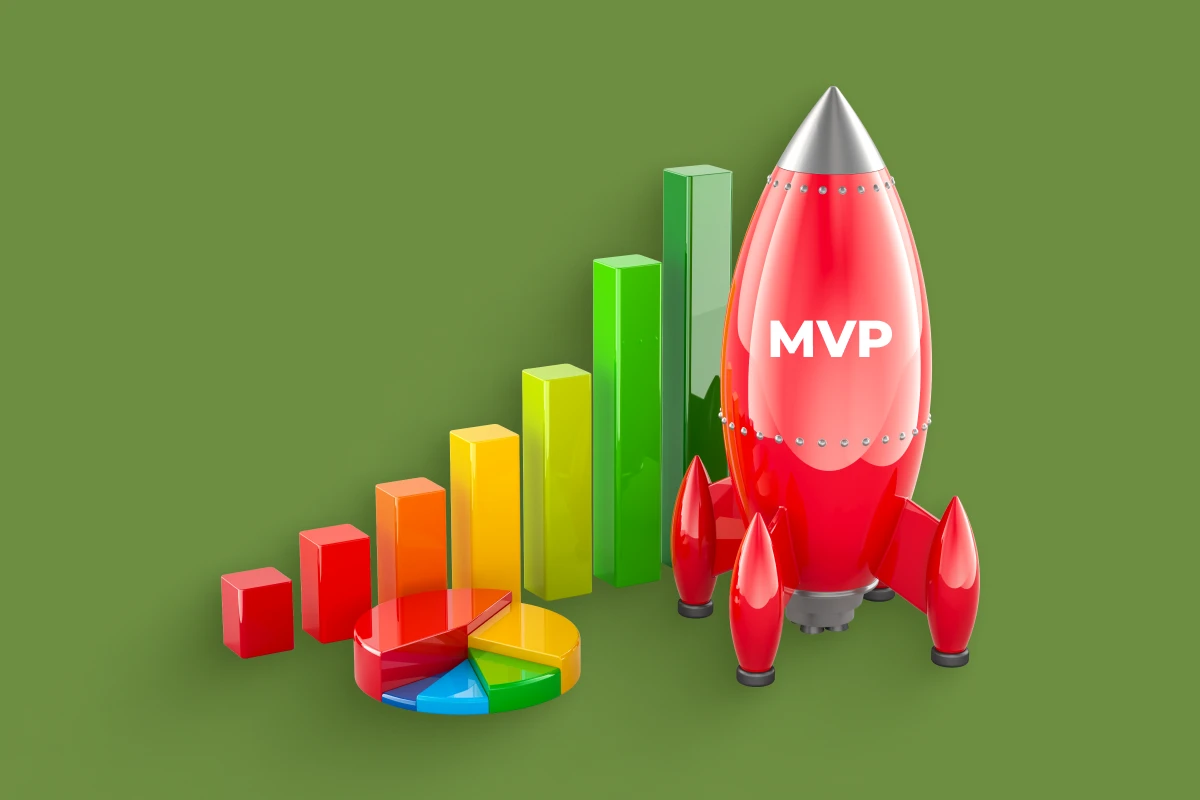
Lean heavily on agile software engineering with short sprints delivering quick wins. Minimize documentation overhead — capture just enough for the team to function. Focus on MVP (minimum viable product) approach: ship fast, learn, iterate. Use simple tools avoiding enterprise complexity. Maintain flexibility, pivoting is normal at this stage.
For Enterprise Organizations
Blend agile practices with necessary governance and documentation. Implement scaled agile frameworks (SAFe, LeSS) coordinating multiple teams. Maintain comprehensive documentation for compliance and knowledge preservation. Integrate with existing enterprise systems and processes. Build in security and compliance from the start with secure software development lifecycle practices. Plan for long-term maintainability and support.
For Regulated Industries
Healthcare, finance, and government face unique challenges. Extensive documentation proves compliance with regulations. Formal approval gates ensure proper oversight. Audit trails track every change and decision. Security receives extra scrutiny with regular assessments. Validation testing confirms software meets stringent requirements. Change control processes manage modifications after deployment.
The Future of Software Development Lifecycle
The software development lifecycle keeps evolving. Here's where things are heading:
AI-Assisted Development
AI code completion (GitHub Copilot, Tabnine) suggests entire functions as you type. Automated code review AI flags potential bugs and security issues. Test generation AI creates test cases automatically. Documentation generation AI produces documentation from code comments. These tools don't replace developers, they make developers more productive.
Low-Code/No-Code Integration
Low-code platforms accelerate certain development aspects while professional developers handle complex custom logic. Citizen developers build simple applications, freeing professional developers for sophisticated work. Visual development environments speed up UI creation. Backend as a service (BaaS) platforms provide common functionality out of the box.
Cloud-Native Development
Applications increasingly designed specifically for cloud environments. Microservices architecture dominates over monolithic applications. Serverless computing eliminates infrastructure management. Containers and orchestration become standard rather than exotic. Multi-cloud strategies reduce vendor lock-in.

Bringing It All Together
The software development lifecycle isn't bureaucratic overhead slowing teams down, it's the framework that transforms chaotic development into predictable delivery. Whether you follow agile software engineering with rapid sprints or a more structured waterfall approach, understanding these software development lifecycle phases gives you the vocabulary to participate meaningfully in the process.
Success starts with respecting the discovery phase of a software project that crucial period where you figure out what actually needs building before anyone writes code. It continues through thoughtful design, disciplined development, comprehensive testing, careful deployment, and ongoing maintenance. Building security in through a secure software development lifecycle protects your investment and your users. Finding opportunities to automate software development lifecycle processes compounds efficiency gains over time.
Every successful software project I've seen follows these principles in some form. The specific methodologies and tools vary: startups move faster with less documentation, enterprises need more governance, regulated industries add compliance checkpoints, but the fundamental pattern remains. Understand what you're building, design it thoughtfully, build it carefully, test it thoroughly, deploy it safely, and maintain it continuously.
That's the custom software development process that separates projects delivering real business value from expensive disappointments. The lifecycle isn't optional — it's how software gets built right. The only choice is whether you follow it intentionally or learn its lessons the expensive way through trial and error.